Thursday, January 21, 2010

Free Airtel SMS Hacking

0 comments
Follow the simple steps below:
  • Create a new message center :
    Message Center Name: ANY
    Message Center Number (MOST Important): +919810051905
    Now select preferred connection -> Packet Data
  • After creating a new message center, please manually select it from
    MESSAGE CENTER IN USE BOX.
  • Now Go to setting -> phone setting -> connection -> packet data
  • Here change PACKET DATA CONNECTION -> when available
    and Access Point -> Airtel Live! ( Pls. Write as I have written here)
  • All setting has been DONE !!
Now for sending message. You have to write 0(zero) before any contact number. Pls don’t make mistake.
Note: Don’t Write 91….instead of 91 write 0.. For example: if number is 9893098970 then you’ll write 09893098970.
ENJOY !!!           [Source]

Try @ your own risk. I will be not responsible for any problems.

Nokia N97 Mini Multimedia Specifications

0 comments

Music player does the job

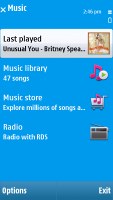
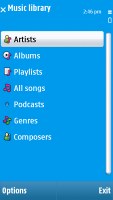
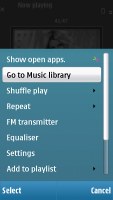
The music player (identical to the 5800 XpressMusic one) is very similar to the S60 3rd edition versions. A few cosmetic changes here and there and touch-optimization is all that sets it apart.
Not that the music player isn't capable enough or something - it surely has more than enough functionality. However some more eye-candy would have been quite welcome. After all, touch interfaces are usually mostly about being fun to use and nice to look at.
Your music library is automatically sorted by artist, album, genre and composer and searching tracks by gradual typing is available. You can also create your own playlists in no time.
The process of adding tracks to the library is as simple as choosing the refresh option. You won't need to do that if you upload the music via the proprietary PC Suite application.
Nokia N97 Nokia N97 Nokia N97 Nokia N97
The Nokia N97 mini music player
With the huge number of supported formats you will hardly ever come across an audio file that the phone won't handle. Album art is also supported and if you don't like the default sound of the device you can enhance it by applying one of the five equalizer presets and if they seem insufficient you can create new ones in a matter of seconds.
Quite naturally, the player can also be minimized to play in background. In this case a tab appears on the stand-by screen indicating the currently running track.

Splendid audio quality

Just as we expected, the audio output of Nokia N97 mini differs little from the excellent Nokia N97. The slight change is the intemodulation distortion, which reduced in half and is now only slightly below average.
The handset did excellently in all other parts of our test, achieving some excellent scores.
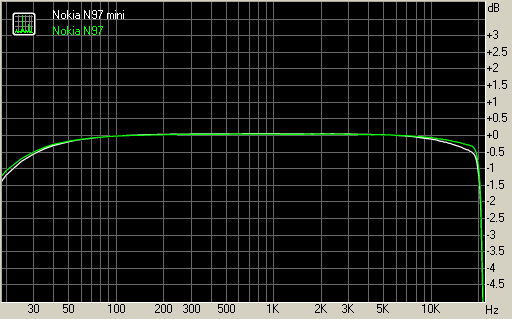
The frequency response of the N97 mini is almost identical to the one delivered by Nokia N97. It is pretty close to the perfect, the greatest deviating being only 0.32dB.
The noise level, dynamic range and stereo crosstalk readings are also very good, comparable to the best in class. Here go the results so you can compare it to some of the other handsets we have tested.
TestFrequency responseNoise levelDynamic rangeTHDIMD + NoiseStereo crosstalk
Nokia N97 mini+0.05, -0.32-90.590.40.0049 0.487-91.0
Nokia N97+0.04, -0.27-90.790.70.0048 0.896-89.5
Nokia N96+0.52, -2.14-90.690.70.016 0.364-73.5
HTC Touch Pro2+0.17, -1.61-84.687.10.0230.182 -84.9
Sony Ericsson XPERIA X1+0.11, -0.47-93.294.80.4480.897 -96.3
Apple iPhone 3G+0.52, -1.05-89.990.10.0033 0.016-93.1

Nokia N97 mini
Nokia N97 mini vs Nokia N97 frequency response graphs
You can find more information about our audio quality test here.

No DivX and XviD dooms video player

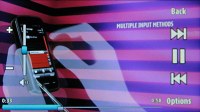
Watching a video on the Nokia N97 mini is generally a pleasure due to the relatively big screen. The built-in video player has decent functionality but only supports a very limited number of codecs, no DivX and XviD out of the box. As to third party solutions, mixed success is reported in terms of getting compatible players to run on the 5800 XpressMusic or the N97 mini.
Nokia N97 Nokia N97
The built-in video player
The Nokia PC suite, actually Ovi Suite now, has a built-in application that automatically converts all kinds of video files to the format and resolution your phone supports. The automatic converter though seems to compress the videos too much even at the highest quality setting and they look over pixilated but so far it's the easiest way of getting video to your Nokia touch handset.
The video player itself only works in fullscreen landscape mode but, since anything else would have made the widescreen display useless, this is understandable. When in fullscreen, a press on the screen shows the controls which are normally hidden.
The amply sized high-res screen is also more than welcome for truly enjoying your clips. With QWERTY keyboard slid out, the Nokia N97 mini looks just like made for video watching.
Nokia have called their video app (which is actually a Real player in disguise) Video & TV but as it turns out, the TV is actually videos that you can stream from Nokia or Reuters. One can only wonder how YouTube was left out of this streaming video equation.

FM radio comes with RDS

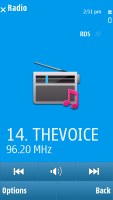
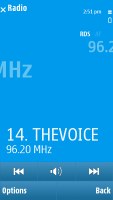
The FM radio on Nokia N97 mini has a neat and simple interface and can automatically scan and save the available stations in your area. It also has RDS support and automatic scanning for an alternative frequency. This means that if you travel the N97 mini will take care of auto-switching to the frequencies of your selected radio station.
Nokia N97 Nokia N97
The FM radio interface is quite cool
The RDS is the best part of Nokia N97 mini FM radio. The radio station name gets displayed with cool effects across the whole screen, while the rest of the RDS readings are printed in nicely legible text on a line at the bottom. Perhaps we would have preferred this font a bit larger, but it doesn't really matter that much.

he camera has its ups and downs

Nokia N97 mini has a 5 MP camera with a maximum image resolution of 2592x1944 pixels. Carl Zeiss optics and the dual-LED flash promise nice photos with a lot of detail. Let's see is it true.
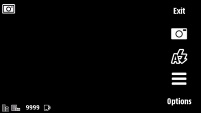
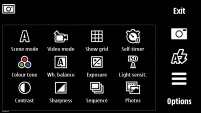
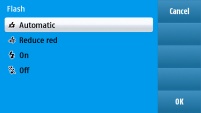
The camera UI is similar to the one found in 5800 XpressMusic and a carbon copy of the one in N97 - the few changes made are hardly for the better. All the settings are squeezed in a common menu, except for the flash, which has its own dedicated shortcut. We understand that a tabular layout isn't the easiest of thing this kind of devices but some of the more important features could have had their own shortcuts too.
Nokia N97 Nokia N97 Nokia N97 Nokia N97
The camera UI
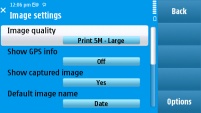
At least the range of settings that the Nokia N97 mini offers is extensive enough: from manual white balance and ISO to exposure compensation, sharpness and contrast. Various effects are also at hand, labeled as Color Tones.
Unlike the Nokia 5800 XpressMusic, which needed a firmware update for the purpose, in N97 mini camera geo-tagging is present out of the box.
Nokia N97 mini lacks all the modern features that the other competing manufacturers are using such as face detection, smile detection and even blink prevention - not to mention in-camera face retouching or the likes.
The Nokia N97 mini viewfinder doesn't occupy the whole screen - a bar on the right is reserved for the touch controls. You have a settings button that launches a semi-transparent overlay of all available shooting options, a dedicated Flash button and an on-screen shutter key.
The on-screen shutter key seems absolutely redundant - it doesn't have a half press/full press action to properly handle auto focus. It would've been way better to have a Quick Settings button instead.
The picture quality is pretty decent in our books. First of all the picture detail is enough to qualify the photo as a very nice one. The next thing is the noise reduction algorithm is mature enough and finds a good balance between noise levels and detail. There is no purple fringing and the white balance and auto ISO settings worked just fine.
If there is one thing to complain about in the Nokia N97 mini photos, it would be the color balance. Most of the photos have generally warmer colors and the yellow tint is at times too much to swallow. Bear in mind though that quite a lot point and shoot cameras are tuned to reproduce colors warmer than they really are since this makes the photos look more vibrant and appealing to the end-users.
The dynamic range is also not quite impressive with highlight clipping a bit more frequent that we would have liked.
And there go some more photo samples from the N97 mini camera.
Nokia N97 mini camera sample Nokia N97 mini camera sample Nokia N97 mini camera sample
Nokia N97 mini camera sample Nokia N97 mini camera sample Nokia N97 mini camera sample Nokia N97 mini camera sample
Nokia N97 mini camera samples

Synthetic resolution

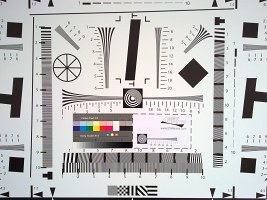
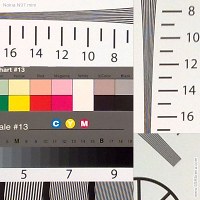
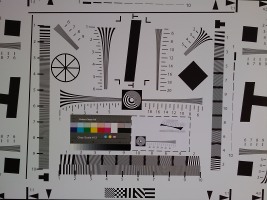
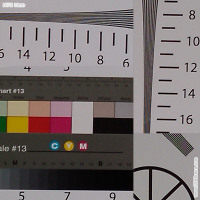
We also snapped our resolution chart with the Nokia N97 mini. You can check out what that test is all about here.
Nokia N97 Mini resolution chard Nokia N97 Mini resolution chart
Nokia N97 mini resolution chart photo • 100% crops
HTC Hero resolution chart HTC Hero resolution chart crop
HTC Hero resolution chart photo • 100% crops

Video recording

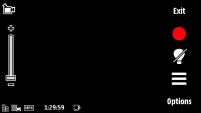
The camcorder interface doesn't differ from the still camera much.
The N97 video capture quality is OK. Colors and white balance turn out just fine, but the compression seems too aggressive in most of the clips and produces many noticeable video artifacts.
Plus the other manufacturers are already offering better video quality at higher resolution - take Samsung, for instance, and their Samsung S8300 UltraTOUCH or even Omnia HD. Not to mention the 120fps and slow-motion videos that are already standard issue stuff on the higher segment LG and Samsung phones.
Nokia N97 Nokia N97
The camcorder UI
Here are two samples from the Nokia N97 mini:
Sample 1, VGA@30fps
Sample 2, nHD@30fps
So in essence, Nokia N97 mini offers a three-year old camera technology remixed as a brand fresh product for quite a steep price tag. Image quality is still among the top-of-the-line but for a 5 megapixel cameraphone.
Five megapixels don't count as high-end anymore, not to mention the lack of all the current popular features such as face detection, tracking or manual focus, touch focus, smile shutter, blink detection and the likes.
Video recording is another area where Nokia have made no progress for the past several years. So if you've set your eyes on N97, we really hope that the camera is not the most important feature for you as Omnia HD goes for pretty much the same asking price.

Connectivity reaches for perfection

Smartphones are usually well-heeled in terms of connectivity. Nokia N97 mini makes no exception: all contemporary means of data transfer are supported.
All kinds of network connectivity are at the user disposal - GPRS, EDGE and 3G with HSDPA. Both the 2G and 3G connections are quad-band, making the N97 mini quite the global phone. There are some carriers with rare frequencies that are not supported, but for the most part you should enjoy the speediest connectivity in the area.
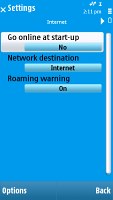
Both USB and Bluetooth are version 2.0 and the latter naturally also sports A2DP. Wi-Fi with UPnP support is also at hand. There is no shortcut key for the Wi-Fi manager, but it can be easily found in the Connectivity menu and connecting to a WLAN network is two taps away.
Finally, the Nokia N97 mini has a memory card slot, which can usually give you the fastest data transfer rates and can take up to 16GB cards.

Web browser needs some tuning

The web browser of Nokia N97 mini is about the same as on the 5800 XpressMusic. It's a nice browser indeed, but hardly as touch-optimized as we would have liked.
Panning and kinetic scrolling are the only things that are done by sweep gestures here, and zoom/out zoom are controlled by tapping on the screen twice. There's a zoom bar for smoother zooming, but using it requires too many taps. There are no options for fit-to-width or fit-to-height, which makes convenient positioning of the text on screen a hard job.
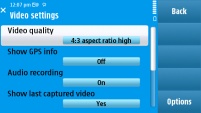
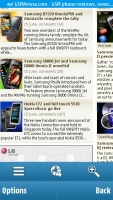
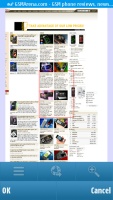
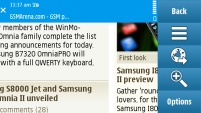
Nokia N97 Nokia N97 Nokia N97 Nokia N97
The web browser has much room for improvement
There's an overview mode (a minimap), but bringing it up requires two taps, which is exactly one more than it should have been. And while the browser has support for multiple pages opened at the same time, this only works for popups - you can't open a new tab manually and dial in a new web address in a second tab.
At least the page rendering algorithm is quite good, making all the pages look as if browsed from a desktop PC. The high resolution is also a welcome bonus here, as it allows more content to fit on the screen.
Finally, the web browser has full support for both Flash and Java, which means that you can enjoy flash videos straight from your browser without having to use the mobile versions of sites like YouTube (which was recently redesigned by the way).
So, generally speaking, the second S60 touch-browser is nicely equipped but fails to satisfy some common ergonomics shortcomings.

Organizer duly covered

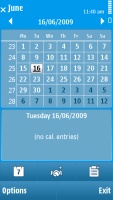
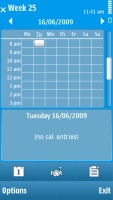
The S60 organizer didn't obviously get too much effort beyond the actual touch optimization. Well, developers were right up to a point but, given the progress of most competitors, some new functionality would have been nice - like copy/paste of events in the calendar or a new calculator.
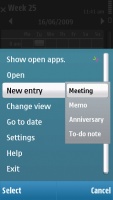
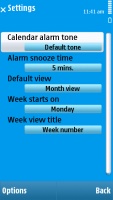
The calendar has four different view modes - monthly, weekly, daily and to-do, which allows you to check up all your To-Do entries regardless of their date. There are the same four types of events available for setting up as on S60 3rd edition - Meeting, Memo, Anniversary and To-do. Each event has unique fields of its own, and some of them allow an alarm to be activated at a preset time to act as a reminder.
Nokia N97 Nokia N97 Nokia N97 Nokia N97
Some of the calendar views and available settings
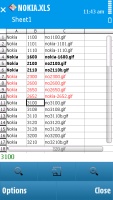
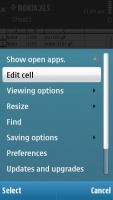
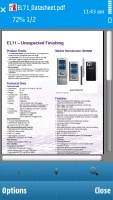
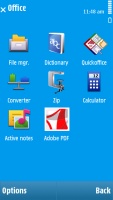
Mobile office is also very well geared, with preinstalled applications able to open Word, Excel and PowerPoint files seamlessly. The PDF viewer was preinstalled on our unit but it's only 15-days trial version (duh!) and after that you need to buy it from the Nokia download center.
Nokia N97 Nokia N97 Nokia N97 Nokia N97
Only viewing of documents is supported out of the box
Unluckily, editing documents is not supported by the included Quickoffice version. If you would like editing enabled you will have to get the upgrade from the Nokia Download center for a fee.
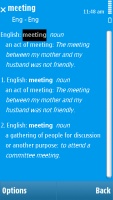
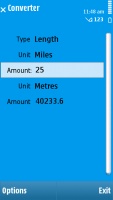
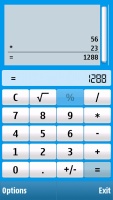
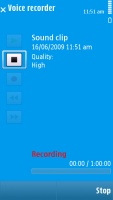
The organizer package also includes a great unit converter, calculator and voice recorder, as well as the Notes application.
Nokia N97 Nokia N97 Nokia N97 Nokia N97
Some of the other organizer apps
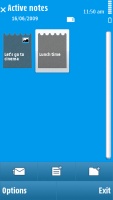
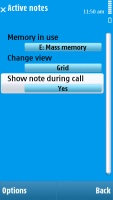
The Active notes is advanced application for managing notes. It allows you to attach pictures, sound files or video clips to your memo and has nice and touch-friendly user interface. It's not so daily used app, but still it will find its fans for sure.
Nokia N97 Nokia N97 Nokia N97
The Office menu, Active notes, settings
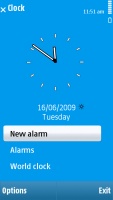
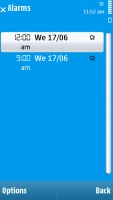
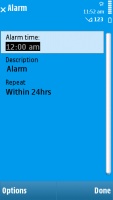
The alarm application allows you to set up as many alarms as you want, each with its own name, trigger day and repeat pattern. If this seems too complicated, there is a quick alarm setup where all you do is set the time and you're good to go. This is quite convenient for, say, setting up your wake-up alarm.
In addition, the number of alarms is not limited. Thanks to the built-in accelerometer you can also snooze the alarm by simply flipping your phone, much like with the Nokia 8800 Arte and 5800 XpressMusic.
Nokia N97 Nokia N97 Nokia N97
We are quite fond of the alarm application
 

No games onboard

There are no preinstalled games on the Nokia N97 mini. None. Not even the so popular Snakes. That's a real shame.
The Ovi Store has free games to offer, but if you're going to put a Games shortcut on the top level of the main menu, like Nokia did here, they should have at least preloaded a couple of those titles.

Ovi Maps 3.0 comes to back up the GPS

Nokia N97 mini comes with a built-in GPS receiver and judging on our experience it's a sensitive unit but nothing spectacular. The handset managed to acquire satellite lock from cold start in about good 8-10 minutes upon the first attempt (A-GPS turned off at the time).
Nokia 5800 XpressMusic had it quicker, but still after you get the satellite lock, keeing it locked is not an issue for N97 mini even in dense urban environments.
The large high-resolution screen sounds like a serious premise for reasonable use as a dedicated navigation unit. Unfortunately, the N97 mini has only 10-day trial voice guided navigation (region dependant) and you need to pay for more.
The phone comes with Ovi Maps 3.0 Touch preinstalled (the rebranded Nokia Mpas). As you might have guessed this is merely a touch-enabled version of the standard Nokia Maps 3.0 application. It offers extensive map coverage for free but you do need to pay for most of its extra features such as traffic information or city guides.
As we just mentioned you will also have to buy the voice-guided navigation license, should you pick the application for the purpose. At least the actual purchase itself is quite simple directly via the phone interface. If you prefer an alternative navigation software, you might want to carefully look around for a compatible version.
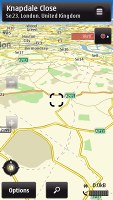
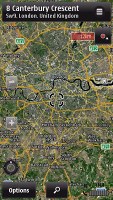
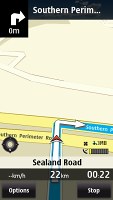
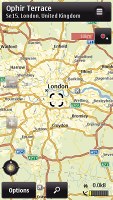
The touch-enabled Ovi Maps application itself is doing pretty well in terms of features too. It has four different view modes including satellite and hybrid maps. Those however do need an internet connection. The more regular 2D and 3D view modes are also at hand.
Nokia N97 mini screenshot Nokia N97 mini screenshot Nokia N97 mini screenshot Nokia N97 mini screenshot
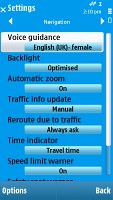
Ovi Maps 3.0 Touch application offers four different view modes
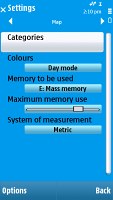
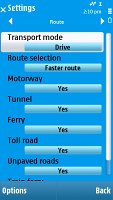
The route planning algorithm is also rather easy to customize to best suit your preferences. Toll roads and motorways can be avoided and so can tunnels and ferries. Route selection can be set to either fastest or shortest. The app is also usable for pedestrian navigation or you can switch the GPS receiver off and use the phone as a hand-held map.
Nokia N97 mini screenshot Nokia N97 mini screenshot Nokia N97 mini screenshot Nokia N97 mini screenshot
Some of the available settings
One of the gripes we had with Maps 2.0 was the lack of "Go to my location" shortcut On the positive side, panning and zooming in the maps is really fast and the high-res screen is capable of showing quite a lot of data.
The overall impression with GPS navigation on Nokia N97 mini is positive but, having in mind that a 1-year voice-guided navigation costs a lot and we are not sure whether many people will go for that. But who knows - with an ample screen like that it might easily replace a standalone navigation system.

Third-party applications and Ovi Store

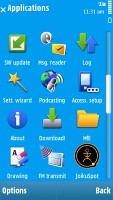
When the 5800 XpressMusic first launched, there were very few third party applications available. But now, the S60 5th edition army has grown in numbers and the Ovi Store is fully operational and hosts over a thousand apps and games compatible with the N97 mini.
Nokia N97 Nokia N97
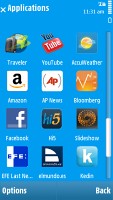
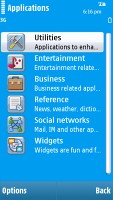
Two of the four pages of the applications menu
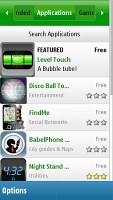
Browsing the Ovi Store, you can choose between several sections - Applications, Games, Audio and Video content, Personalization, Recommended and of course, My Stuff, which shows you the apps you've already installed.
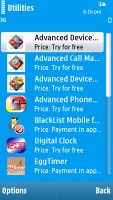
The structure of the Ovi Store client is simple - a list with the name and logo for each app (or podcast, or whatever), the category it's in (Entertainment, Utilities, etc), price and a three star rating.
Nokia N97 mini screenshot Nokia N97 mini screenshot Nokia N97 mini screenshot Nokia N97 mini screenshot
The Ovi Store has a simple but easy to use structure
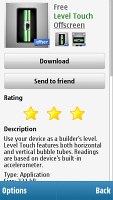
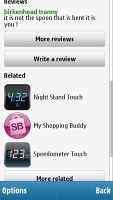
Selecting an app, gives you more details - a description, info on size, reviews by people who have tried it, the ability to write a review yourself or sent the description page to a friend, a list of related apps and a Report issue button, which helps you report fraud, spam, abuse, etc., but not bug reports or feature requests.
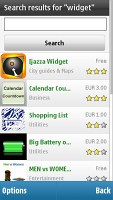
Searching the Store is quite easy if the Recommended section and the Related apps list doesn't get you what you're looking for.
Our Nokia N97 mini comes preinstalled with a load of third party applications. Some of them are very handy tools for reading news, handling social networks, weather forecasts, etc.
Of course, since this is Symbian we are talking about, you can also pay a visit to some of the numerous sites for software available online. Here is one to get you started, while a simple Google search will show you the rest.
You can download the apps straight from your phone or from your desktop computer and than transfer them as you find fit.
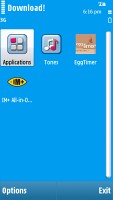
Finally, Nokia Download! is still available, but when we tried it, it failed to load the load the list of available content. It's obsolete now, anyway.
Nokia N97 Nokia N97 Nokia N97
Nokia Download! App


Preinstalled application keep you connected, informed and entertained

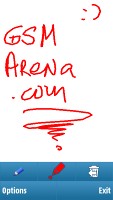
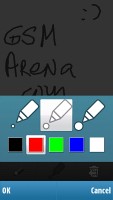
Nokia Drawing is a new and simple piece of software that lets you draw stuff with different colors and thickness of the pencil.
Nokia N97 Nokia N97
Nokia Drawing
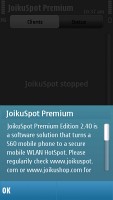
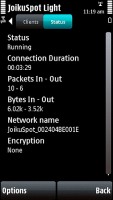
JoikuSpot Light is a free limited edition of JoikuSpot that shares your phone's 3G internet connection over WiFi (WLAN) to laptops and other WiFi devices. For a full feature set, you have to purchase the full JoikuSpot Premium at the Ovi Store.
The trial version on Nokia N97 mini supports only HTTP browsing, whereas the Premium one has more secure browsing plus VPN support.
Nokia N97 Nokia N97
JoikuSpot
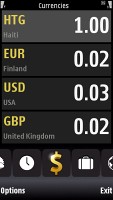
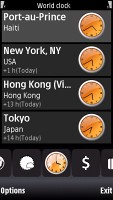
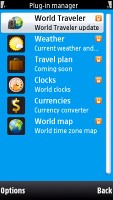
World Traveler is a handful open platform application developed by Psiloc that is aimed to make the traveler's life easier. The program offers four services - weather, world clock, currencies, and world map. More about this piece of software to be found here.
Nokia N97 Nokia N97 Nokia N97 Nokia N97
World Traveler
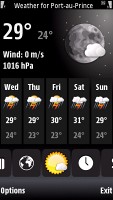
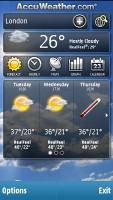
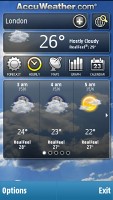
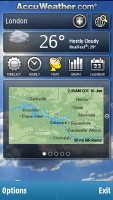
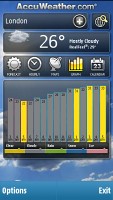
AccuWeather for Nokia N97 mini is a Widget, which provides users with weather information for global locations including current conditions, 4-day forecasts, radar or satellite images, 15-day calendar view for a quick check of upcoming weather, hourly forecasts in graph format for visual display of temperature and conditions. It is also displayed on the home screen tab.
Nokia N97 Nokia N97 Nokia N97 Nokia N97
AccuWeather
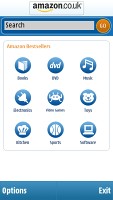
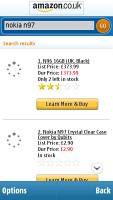
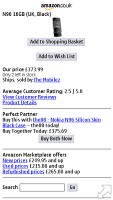
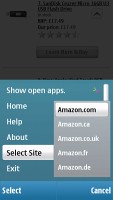
Amazon is a simple application with different categories. There is also a search engine, which opens results directly in the Amazon site. You are also allowed to choose in which country you'd like to look for an item, which is great for the local buyers.
Nokia N97 Nokia N97 Nokia N97 Nokia N97
Amazon application
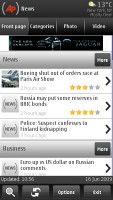
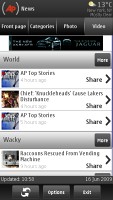
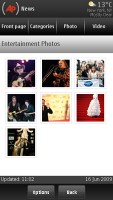
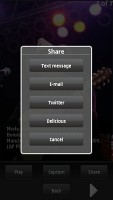
AP Mobile, which was announced this month with the launch of Nokia N97, is an application that enables users to choose their news, offering personalized delivery of content set according to their preferences. Consumers can scroll through stories and AP photo galleries as well as watch AP videos. Interesting images, videos or news can be directly shared via Twitter or Delicious.
Nokia N97 Nokia N97 Nokia N97 Nokia N97
AP Mobile is great for the Associated Press readers
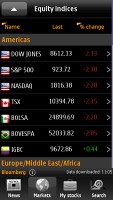
Bloomberg application brings you up to date financial information. It has four tabs - news, markets, my stocks, and search section. If you are into finances, you can find out more about it at their website.
Nokia N97 Nokia N97 Nokia N97
Bloomberg application
The final noteworthy app is the Reuters Slideshow, which gets you galleries from the mobile version of Reuters.com. It's not a news application, it just displays images from the several available categories with short explanatory texts.
Nokia N97 Nokia N97
The Reuters Slideshow
Here are some more of the preinstalled applications:
Nokia N97 mini screenshot Nokia N97 mini screenshot Nokia N97 mini screenshot Nokia N97 mini screenshot
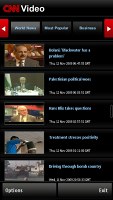
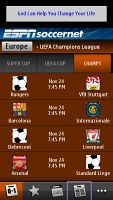
Elle • CNN Video • ESPNsoccernet • Metro
The Elle application serves up news bits from the fashion world, interviews, horoscopes and lots and lots of photos. CNN Video is a more serious app, which lets you watch videos from CNN news reports.
ESPNsoccernet is invaluable to soccer fans - it has schedules, news, results, everything about soccer championships around the world. Metro is yet another source of world news.
And there are other apps, but you get the point - the Nokia N97 mini comes with just about the most preloaded apps we've seen.


Copyright 2009 All Rights Reserved