

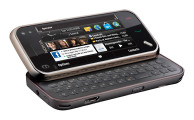
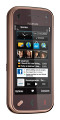
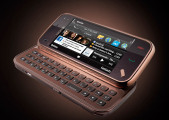
Nokia N97 mini official photos
The original Nokia N97 was the first sign of that as it hardly offered any ground-breaking features, instead relaying on the good all-round performance. However the first high-end S60 touchscreen handset left enough room for another similar handset in the portfolio and Nokia feel that its downsized version is enough to fill the gap.
Key features
- Slide-n-tilt 3.2" 16M-color resistive touchscreen of 640 x 360 pixel resolution
- 5 megapixel autofocus camera with dual-LED flash and VGA@30fps video recording
- Symbian OS 9.4 with S60 5th edition UI with kinetic scrolling
- Slide-out three-row full QWERTY keyboard
- ARM 11 434MHz CPU and 128 MB of RAM
- Quad-band GSM and tri-band 3G with 3.6Mbps HSDPA support
- Wi-Fi and GPS with A-GPS
- Digital compass
- 8GB onboard storage
- microSD card slot with microSDHC support
- Built-in accelerometer
- 3.5 mm audio jack and TV-out
- Stereo FM Radio with RDS
- microUSB port (charging) and stereo Bluetooth v2.0
- Web browser has full Flash and Java support
- Nice audio reproduction quality
- Office document viewer
Main disadvantages
- The S60 touch UI is still inconsistent
- Outdated camera interface and features
- No DivX or XviD video support out-of-the-box
- No smart dialing
- No office document editing (without a paid upgrade)
- No camera lens protection
- No FM transmitter (though that may be stretching it too far)
Nokia N97 mini vs Nokia N97
- More compact (113 x 52.5 x 14.2 mm, 75 cc vs 117.2 x 55.3 x 15.9 mm, 88 cc)
- Lighter (138g vs 150g)
- Smaller display (3.2" vs 3.5")
- Less internal memory (8GB vs 32GB)
- Smaller battery (1200 mAh vs 1500 mAh)
- No lens cover
- No FM transmitter
- Arrow keys vs D-pad
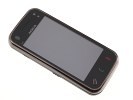
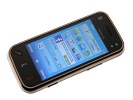
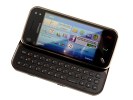
Nokia N97 mini at ours
Still the reduced display (and mostly body size) is a welcome change for many users, who used to find the Nokia N97 intolerably bulky. We certainly hope it's got a few tricks up its sleeves so it can put up the original N97 a good fight and differentiate enough beyond size and pricing.
360*
Retail package is nothing to rave about
There isn't too many differences between the retail packages of Nokia N97 mini and the original N97. There are a few omissions in order to keep the price lower but hardly anything a regular user would notice. Basically the content inside is covering all the essentials, without providing too many surprises.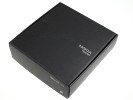
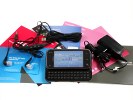
Nokia N97 mini retail package
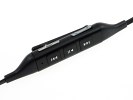
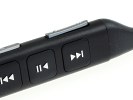
You have the charger plus a data cable and a nicely designed handsfree that we see for the first time. It looks pretty cool but unofortunately is one-piece only so replacing the headphones while keeping the remote is not an option. At least there are several different ear-buds so you can find the one that best fits your ears.
There isn't a stylus included in the Nokia N97 mini retail package but we hardly miss that too much.
Nokia N97 mini 360-degree spin
Nokia N97 mini measures 113 x 52.5 x 14.2 mm, totaling a volume of 75cc. Those numbers don't sound too impressive in isolation but compared to the 117.2 x 55.3 x 15.9 mm of the original N97 they certainly are great.Of course some trade-of were inevitable - like cutting down on display estate or losing the D-pad on the QWERTY keyboard, but all the main functionality is still there and you get a much more compact package.
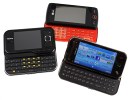
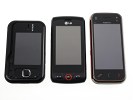
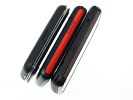
Nokia N97 mini compared to LG GW620 and Nokia 6760 slide
In the smartphone QWERTY side-slider class the Nokia N97 mini easily ranks among the compact handsets. The non-touch E75 is the only handset that is noticeably more compact but it has quite a lot of other features discarded to reduce size.
The weight of 138g is another improvement over the original N97, which weigh the hefty 150g. The mini version still maintains its solid feel but weights less in your pocket. Yet the 12 gram difference will hardly be decisive for anyone. Obviously Nokia thought the same way - otherwise they would have used plastic for the battery cover again and reduced the weight even further.
Design and construction
Slid-close and in isolation you will hardly recognize that the N97 is a different model at all. There wasn't too much time for redesigning and the Nokia engineers preferred to spend it on the back panel.We were happy enough with the original N97 design and our only regret was that its all-plastic construction was unfit for its high-end status and pricetag. Obviously Nokia paid attention and this time the battery cover material is metallic. The camera lens cover has also been removed.
We are also really pleased with the quality of the plastic used for the rest of the N97 mini body. It's the same as the one used for N86 8MP and the original N97. It is a real fingerprint-repeller, while at the same time looks sturdy enough to survive without many marks and scratches (under regular usage, of course).
The Nokia N97 mini front is mostly about the 16M-color resistive touchscreen. It has the same resolution as its bigger brother (360 x 640 pixels) but as we mentioned, its diagonal has shrunk from 3.5" to 3.2". That nHD resolution seems pretty sufficient to use for virtually any use but some users might still find it disadvantageous compared to the WVGA that some of the competitors have to offer.
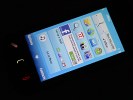
The 3.2" display is pretty good
The image quality of the Nokia N97 mini display is about the same as on the original N97. The smaller size makes it less impressive, of course, but the contrast and brightness levels are equal. Mind you, we won't be mad if Nokia chose the Samsung way and went to AMOLED screens for more of its flagships. Having that extra bit of contrast is a nice thing.
The Nokia N97 mini uses a resistive touchscreen, just like every other S60 touch-enabled Nokia so far. This means a bit of pressure on the screen is needed for a tap to be registered but allows the use of stylus and gloves.
The sensitivity of the Nokia N97 mini is on par with the competition, and save for the Samsung Jet and Pixon12, we haven't seen a resistive-touchscreen handset perform much better. Nokia seem to have done some tweaking to the screen so that now its responsiveness with fingers is better than the original N97. There is also haptic feedback with adjustable intensity, which we find really comfortable.
The sunlight legibility is equal on the two Nokia N97s - they are both excellent. We are glad that it has nothing to do with the mediocre sunlight legibility of Nokia 5800 XpressMusic and 5530 XpressMusic.
Touch-sensitive call and end keys plus a regular hardware menu key sit right below the screen. Their layout in the Nokia N97 mini is an exact copy of what we saw in the original Nokia N97.
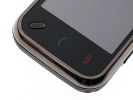
There are three keys below it
The earpiece and video-call camera are at the top of the Nokia N97 mini front, along with an ambient light and a proximity sensor. The proximity sensor makes sure that the display is switched off when you hold it next to your ear.
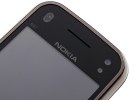
A couple of sensors, a video-call camera and the earpiece are on top
The functional elements on the sides of the Nokia N97 mini have an identical layout to that of its bigger brother. That means that the camera key and the dual volume button are on the right. The camera key is fine but the volume rocker feedback has quite some room for improvement.
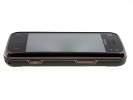
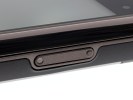
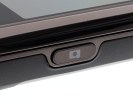
Nokia N97 mini right side
The left side features the microUSB port and the screen lock slider. The stereo speakers are also here at the two edges. There is no protective cover for the USB slot so dust and dirt accumulation is pretty likely.
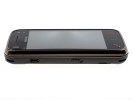
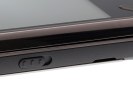
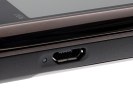
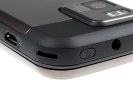
The functional elements on the left
The power key is at the top of Nokia N97 mini, right next to the 3.5mm audio jack. You can also use the power key for alternating the profiles as customary for the phones with this operating system.
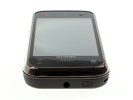
The audio jack and the power key are on top
The bottom of Nokia N97 mini is pretty plain with the lanyard eyelet being the only diversion.
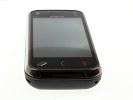
There's hardly anything interesting at the bottom
When you slide the Nokia N97 mini open, the three-row QWERTY keyboard pops up in front of your face. The keys are a bit smaller than on the original N97 but they are still large enough and will enough spacing to be comfortable even for larger-handed users.
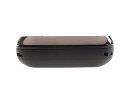
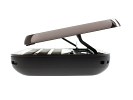
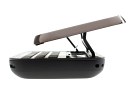
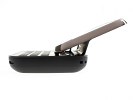
Opening the Nokia N97 mini
The feedback levels are also great, increasing the typing speed even further. We aren't too thrilled about having only three rows on a QWERTY keyboard, but they got the rest of it right. The problem is that keys get a bit crowded with a three-row layout (having two chars each) and intensive usage of a modifier (the symbol key) is required.
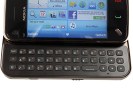
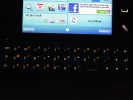
The keyboard is pretty comfy, despite the three-row layout
The D-pad of the original N97 is removed in the N97 mini, replaced by four arrow keys. Placed on the right of the keyboard those are really comfortable, with the nearby enter key compensating for the lack of a confirming center.
This arrangement has allowed the Space key to be shifted a bit to the middle, where it is much easier to reach. Considering that this is one of the most frequently used keys when typing we count this as a major usability boost.
The Nokia N97 mini 5 megapixel camera is on the backside of the handset, right next to dual LED flash. Those aren't protected by anything this time so getting them scratched even under regular usage is pretty likely.
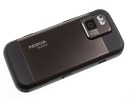
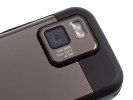
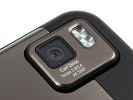
The 5 megapixel camera and the dual LED flash are unprotected this time
Under the battery cover lays another downgrade of Nokia N97 mini compared to the original N97. The BP-4D has 25% smaller capacity (1200 mAh) than the N97 battery. Understandably, its performance isn't quite as impressive too. The N97 mini should last for up to 320 hours of stand-by and 7 hours and ten minutes of talk-time in a 2G network or 310 hours of stand-by and 6 hours of talk time on UMTS.
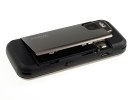
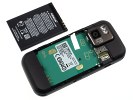
The battery is downgraded to 1200 mAh
In reality we had to charge our Nokia N97 mini every 36 hours but ours was nothing else than extensive torture. What regular users should expect is charging their handset every third day or something like that.
The microSD card slot is also located under the battery cover with Nokia N97 mini. That means that whenever you need to change memory cards you will need to remove it, which causes some inconvenience. On the positive side the N97 mini can handle 16GB microSD cards which are the largest currently available on the market.
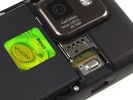
The microSD card slot is here too The build quality of the Nokia N97 mini is really satisfactory. With the addition of some metallic elements it is now even nicer to touch than the original N97. Unfortunately, the sliding mechanism issue of having uneven tension hasn't been solved. The spring is a bit too rigid at first followed by an all too sudden release that makes a loud banging noise. We have seen Nokia do a lot better than that.
At least this time the full specs quote visible on the back of the phone when it's slid open are gone.
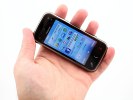
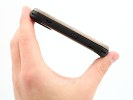
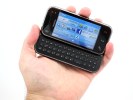
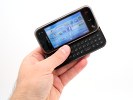
The Nokia N97 mini held in hand
Nokia N97 mini right side
The left side features the microUSB port and the screen lock slider. The stereo speakers are also here at the two edges. There is no protective cover for the USB slot so dust and dirt accumulation is pretty likely.
The functional elements on the left
The power key is at the top of Nokia N97 mini, right next to the 3.5mm audio jack. You can also use the power key for alternating the profiles as customary for the phones with this operating system.
The audio jack and the power key are on top
The bottom of Nokia N97 mini is pretty plain with the lanyard eyelet being the only diversion.
There's hardly anything interesting at the bottom
When you slide the Nokia N97 mini open, the three-row QWERTY keyboard pops up in front of your face. The keys are a bit smaller than on the original N97 but they are still large enough and will enough spacing to be comfortable even for larger-handed users.
Opening the Nokia N97 mini
The feedback levels are also great, increasing the typing speed even further. We aren't too thrilled about having only three rows on a QWERTY keyboard, but they got the rest of it right. The problem is that keys get a bit crowded with a three-row layout (having two chars each) and intensive usage of a modifier (the symbol key) is required.
The keyboard is pretty comfy, despite the three-row layout
The D-pad of the original N97 is removed in the N97 mini, replaced by four arrow keys. Placed on the right of the keyboard those are really comfortable, with the nearby enter key compensating for the lack of a confirming center.
This arrangement has allowed the Space key to be shifted a bit to the middle, where it is much easier to reach. Considering that this is one of the most frequently used keys when typing we count this as a major usability boost.
The Nokia N97 mini 5 megapixel camera is on the backside of the handset, right next to dual LED flash. Those aren't protected by anything this time so getting them scratched even under regular usage is pretty likely.
The 5 megapixel camera and the dual LED flash are unprotected this time
Under the battery cover lays another downgrade of Nokia N97 mini compared to the original N97. The BP-4D has 25% smaller capacity (1200 mAh) than the N97 battery. Understandably, its performance isn't quite as impressive too. The N97 mini should last for up to 320 hours of stand-by and 7 hours and ten minutes of talk-time in a 2G network or 310 hours of stand-by and 6 hours of talk time on UMTS.
The battery is downgraded to 1200 mAh
In reality we had to charge our Nokia N97 mini every 36 hours but ours was nothing else than extensive torture. What regular users should expect is charging their handset every third day or something like that.
The microSD card slot is also located under the battery cover with Nokia N97 mini. That means that whenever you need to change memory cards you will need to remove it, which causes some inconvenience. On the positive side the N97 mini can handle 16GB microSD cards which are the largest currently available on the market.
The microSD card slot is here too The build quality of the Nokia N97 mini is really satisfactory. With the addition of some metallic elements it is now even nicer to touch than the original N97. Unfortunately, the sliding mechanism issue of having uneven tension hasn't been solved. The spring is a bit too rigid at first followed by an all too sudden release that makes a loud banging noise. We have seen Nokia do a lot better than that.
At least this time the full specs quote visible on the back of the phone when it's slid open are gone.
The Nokia N97 mini held in hand
HOME SCREEN
Widgetized S60 UI
We stand by every word we said about the S60 5th and its approach to touchscreen. Long story short, the direct translation of D-pad and soft-key action into touch has its benefits but the result is hardly the most fluent and intuitive touchscreen interface.Scrolling has been changed, thanks to a firmware update, and it's a great improvement over the previous scheme. Now you have kinetic scrolling (or flick scrolling as Nokia call it) and it's really smooth with nice elasticity at both ends of the scroll.
List menus still require a double click to activate, though, while icons do great with a single one. Really - go figure!
If you know your way around S60, you'll be quite at home with the N97 mini interface and you'll swear by it. But if you look at it more objectively maybe, just maybe, you will realize some things come out a tad better on other touchscreen handsets than they do on S60 5th.
The Nokia N97 mini, being the slightly shorter sibling of the N97, uses a widget-enabled homescreen, just like its taller bro. This is the only significant change since the 5800 XpressMusic and for now is the trademark of the N97 pair - other S60 5th edition phones don't have them.
They are the fad these days and their usability is unquestioned. They can't be the dramatic improvement you've been waiting for though.
It is also worth mentioning that, compared to the 5800 XpressMusic, Nokia N97 mini has a tad snappier UI (thanks to the faster ARM 11 434 MHz processor perhaps). There weren't any major lags or holdups for the time of our review.
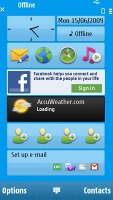
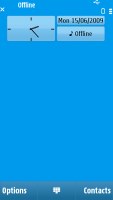
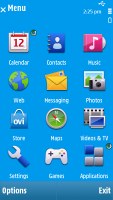
The S60 UI has made another go at touchscreen
While the widgets are something new for the S60 5th edition, the menu structure is a d?j? vu - the same as in Nokia 5800 XpressMusic and not that different from 3rd edition. Icons are organized in a 3 x 4 grid or a list and you can freely reorder. Screen orientation can be set to change automatically. Sliding out the QWERTY keyboard makes the screen rotate as well.
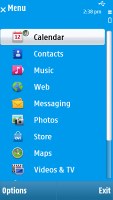
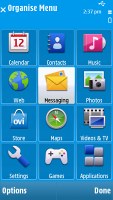
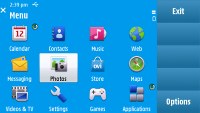
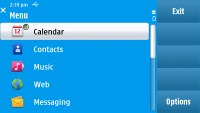
Looks familiar, doesn't it?
Opening an item in any of the list submenus calls for two presses - one to select, and another one to confirm the action. Now that's something that you don't normally see often in touch phones. You get used to it with time, but the main issue here is that the interface logic is different when you deal with icons instead of lists - there just a single click does the job.
A scroll bar is also available in both list and icon menus.
Here comes the homescreen
The homescreen layout of the N97 mini (not counting the widgets) is similar to the Nokia 5800 XpressMusic version - all the status indicators are at the top, plus the clock and the calendar.A single press on the clock starts the clock application (with an option for setting up an alarm) while tapping on the date opens a drop-down menu where you can either enter the calendar application or change the currently active profile.
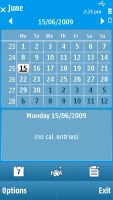
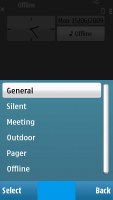
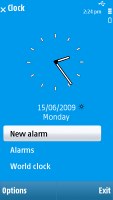
Calendar, profiles and clock just a touch away
Now, let's take a closer look at the widgets. If they are hidden, just sweep a finger across the screen and they'll show up. Another sweep will make them disappear.
You can have up to 5 widgets at a time displayed on the homescreen (you can't change the clock) and you can arrange them according to which you use most.
There are plenty of widgets to choose from - there are tools like the WLAN wizard, music player controls, a calendar or a widget with four favorite contacts (you can have two of those). The other widgets are linked to various sites and services - Amazon, Facebook, AccuWeather, Associated Press, CNN, Elle and quite a few more.
The Ovi Store comes in when you get bored of the preinstalled widgets, but will cover that in more length later.
Arranging widgets is easy and fun. You can remove some of them, add others, change their order (just drag and drop). If all 5 slots have been taken, you have to remove one or more widgets to make room.

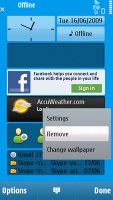
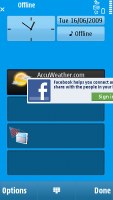
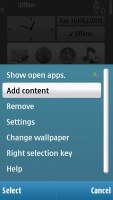
Arranging the widgets is easy and fun
Nokia N97 mini comes with 4 preloaded themes and most of them are really appealing. You can also download third party themes from the internet. As before, you can switch the themes effects on and off. Unfortunately, even if the transitions look kinda cool, they cause occasional lags when browsing the menu.
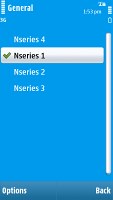
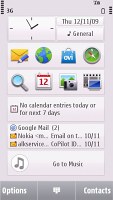
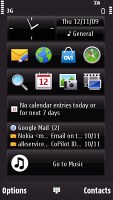
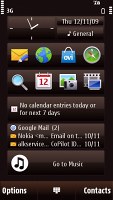
Some of the preloaded themes are a real eye-candy
Nokia N97 mini features a task manager, which is launched by a press-and-hold on the menu key. The task manager itself is identical to the one found on Symbian S60 3.2 devices. Also much like in the previous version of the UI, it appears on top of every pop-up menu.
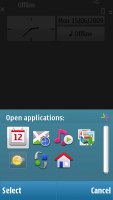
The task-manager
FULL SPECIFICATIONS
| General | 2G Network | GSM 850 / 900 / 1800 / 1900 |
|---|---|---|
| 3G Network | HSDPA 900 / 1900 / 2100 | |
| HSDPA 850 / 1900 / 2100 - American version | ||
| Announced | 2009, September | |
| Status | Available. Released 2009, November |
| Size | Dimensions | 113 x 52.5 x 14.2 mm, 75 cc |
|---|---|---|
| Weight | 138 g |
| Display | Type | TFT resistive touchscreen, 16M colors |
|---|---|---|
| Size | 360 x 640 pixels, 3.2 inches | |
| - Proximity sensor for auto turn-off - Accelerometer sensor for auto-rotate - Full QWERTY keyboard - Handwriting recognition |
| Sound | Alert types | Vibration; MP3 ringtones |
|---|---|---|
| Speakerphone | Yes, with stereo speakers | |
| - 3.5 mm audio jack |
| Memory | Phonebook | Practically unlimited entries and fields, Photocall |
|---|---|---|
| Call records | Detailed, max 30 days | |
| Internal | 8 GB storage, 128 MB RAM | |
| Card slot | microSD, up to 16GB, buy memory |
| Data | GPRS | Class 32 |
|---|---|---|
| EDGE | Class 32 | |
| 3G | HSDPA, 3.6 Mbps | |
| WLAN | Wi-Fi 802.11 b/g, UPnP technology | |
| Bluetooth | Yes, v2.0 with A2DP | |
| Infrared port | No | |
| USB | Yes, v2.0 microUSB |
| Camera | Primary | 5 MP, 2592x1944 pixels, Carl Zeiss optics, autofocus, Dual LED flash, video light |
|---|---|---|
| Features | Geo-tagging | |
| Video | Yes, VGA@30fps | |
| Secondary | Yes, VGA@15fps |
| Features | OS | Symbian OS v9.4, Series 60 rel. 5 |
|---|---|---|
| CPU | ARM 11 434 MHz processor | |
| Messaging | SMS, MMS, Email, Push Email, IM | |
| Browser | WAP 2.0/xHTML, HTML, RSS feeds | |
| Radio | Stereo FM radio with RDS, Visual radio | |
| Games | Yes, DJ Club Tour + downloadable | |
| Colors | Cherry Black, Garnet, White | |
| GPS | Yes, with A-GPS support; Nokia Maps | |
| Java | Yes, MIDP 2.1 | |
| - Digital compass - MP3/WMA/WAV/eAAC+ music player - WMV/RealVideo/MP4 video player - TV-out - Voice command/dial - Document viewer (Word, Excel, PowerPoint, PDF) - Video and photo editor - Flash Lite 3 - T9 |
| Battery | Standard battery, Li-Ion 1200 mAh (BL-4D) | |
|---|---|---|
| Stand-by | Up to 320 h (2G) / 310 h (3G) | |
| Talk time | Up to 7 h 10 min (2G) / Up to 6 h (3G) | |
| Music play | Up to 32 h |
| Misc | Price group |  |
|---|


Comments
0 comments to "Nokia N97 Mini"
Post a Comment